
Create an online store.
Give your small business a shop link for Instagram, WhatsApp, and in-person sales.


From first product to open for business.
Add your products
Add a photo, price, and stock count for a product you already sell.
Make it yours
Choose a theme, add your shop name, and preview it on your phone.
Open your store
Set up payments and delivery, then publish and share your link.

Take orders the way you sell.
Give customers one shop link and choose how they place an order.
Give followers a shop link they recognize.
Put your shop link in your bio. Product links can show the item’s name and photo when shared.
See how store links work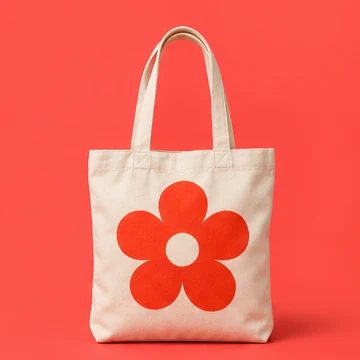
A canvas tote with a pop of color.
Built-in analytics for your storefront.
See where shoppers come from and what they open. Check traffic over 7, 30, or 90 days on any plan.
Explore storefront analytics
Take the next step.
Explore features
See what’s included, from product options to checkout.
Find a fit for your shop
See how makers, artists, and Instagram sellers set up shop.
Learn to sell online
Choose what to sell, how to price it, and where to share it.
Start free. Grow at your pace.
Free
$0 USD / month
Everything you need to open shop.
- Up to 10 active products
- Storefront, checkout and order management
- A Storeful address for your shop
Pro
$15 USD / month
For a growing catalog and a shop of your own.
- Up to 100 active products
- Custom domain and no Storeful attribution
- Collections, discount codes and sales reports
Storeful charges no transaction fee. Payment processing and optional provider services are billed separately.